
Writing is a way to clarify thinking, as well as learn and communicate more effectively. And as is true for any skill practiced, with time, the writing ability improves. Cradle CMS gives your writing a distraction-free home, and your readers a fast, machine-readable site.
A technical blog delivers long-term value and gives you full control and ownership of your content. Articles on a personal tech blog can attract attention for years, and if you update them, they stay relevant even longer. By contrast, social media posts often fade in days (though this varies by platform).
A tech blog you own,
self-hosted on-prem or in the cloud
Cradle CMS is a self-hosted solution and can be run on any linux server, on-prem or in the cloud. The one-click installer at Hostim.dev is one of the easiest ways to get started.
Installation guidesStart your blog on hostim
Some of our features
- Title
The blog post’s headline, optimizable for SEO. - Customizable URLs
Control over the URL structure of blog posts to ensure they are SEO-friendly. - Body text
The main content of the blog post supports HTML tagging for advanced formatting and structuring with multiple editor choices. - Media uploads
Ability to embed responsive media such as images and videos - Article image
Possibility to add an image to the post. - SEO Metadata
Fields for SEO titles, descriptions, and keywords to optimize the post for search engines. - Tags and Categories
Add tags and categories to organize posts, making it easier for users to filter and search for relevant content. Separate blogs can be created for different blog categories. - Publish & Updated Date
Date of publication, with the option to schedule posts for future dates. Ability to save blog posts as drafts and implement a review process where posts can be reviewed and approved before publishing. - Multilingual
Support for multilingual content - Author Information
A reusable author information box for displaying the author’s name, bio, and social media links. - Searchable Content
Built-in search allows users to be able to search for blog posts by title, content, keywords, tags, or categories. - Post Pagination
Pagination or infinite scrolling on blog overview pages for easy navigation through multiple posts. - Blog feeds
RSS, atom feeds as well as Blog-roll format.
Content creation
For a dev blog, you need a comfortable way to write text and add elements such as code snippets, images, and tables. If the text editor has a good workflow and is yet powerful to use, writing becomes distraction-free and easy.
With Cradle CMS two, of the three body text editors are suitable for writing articles: the rich text editor (RTE) and the markdown (MD) editor. Both of the editors has a minimalistic UI but with enough buttons for formatting and inserting elements such as tables, images and quotes.
Markdown editor
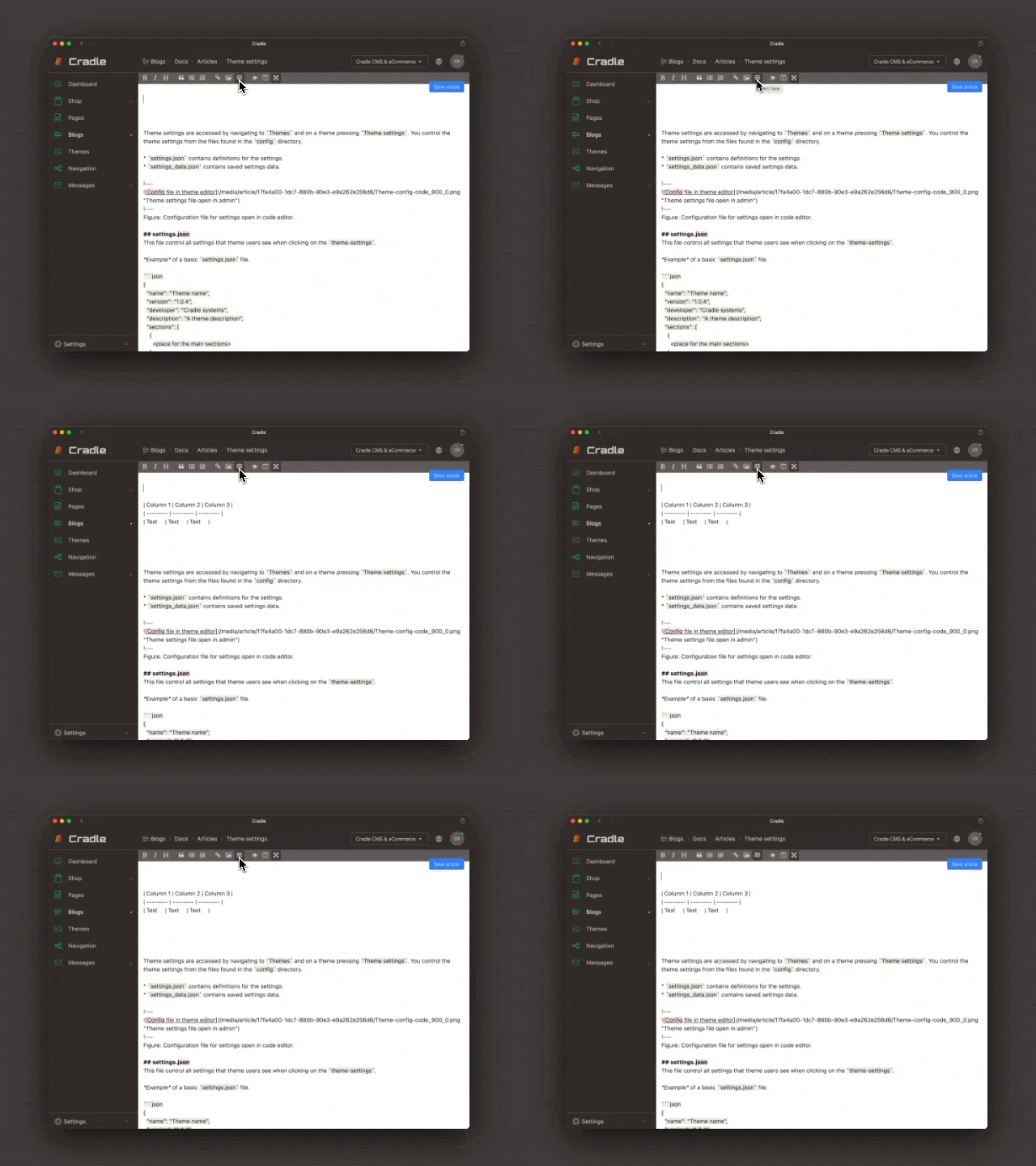
Markdown syntax is a widely supported format and a preferred choice for writing dev blogs. The text is written with a lightweight markup that handles common formatting in writing. It is the syntax that makes it fast to write in, as you rarely have to leave your keyboard when writing an article or blog post.
This particularly applies to inline styling of text, for example, adding <code> tags around a single word is done by encapsulating the word with backticks and <strong> tags with an asterisk *. The format is widely supported, which makes imports and exports easy.
The markdown editor in Cradle CMS uses an extended syntax and includes, for example, aside blocks, inline subscript and superscript formatting, captions on figures, tables, and code snippets.
The Rich Text Editor
Prefer a word-processor feel? The RTE builds your content as movable blocks you can reorder with a drag, and you never have to see the HTML it generates, even though you can optionally reach it if needed.
- Fullpage mode
Expand the editor to the full view in admin. - Light/Dark mode
Use editor in Light or Dark mode with user setting. - Keyboard shortcuts
The editor has keyboard shortcuts for mouse-free content creation.
When to use?
If you want write in a distraction less mode but simultaneously use layouts and sections without having to worry about the code, the rich text editor is the right fit.