
Newsletter signups is an important part of an online store.
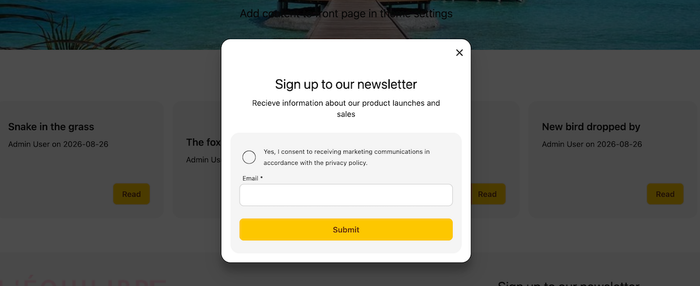
Steps in video
- Create a new form with the handle “newsletter”
- Add fields
- Save
The form can now be used on the website by including form-tag, {% form 'newsletter' %}{% endform %}, html code or in theme settings.
| Required | Name | Type | Value | Attributes | Match |
|---|---|---|---|---|---|
| Yes | Policy | checkbox | Yes, I consent to receiving marketing communications in accordance with the privacy policy. | ||
| Yes | |||||
| - | Submit | submit |
The marketing consent checkbox is mandatory within EU.