
- Country specific payments Choose different payment gateways for different countries
- Currency specific methods Currencies can be specified for each payment method
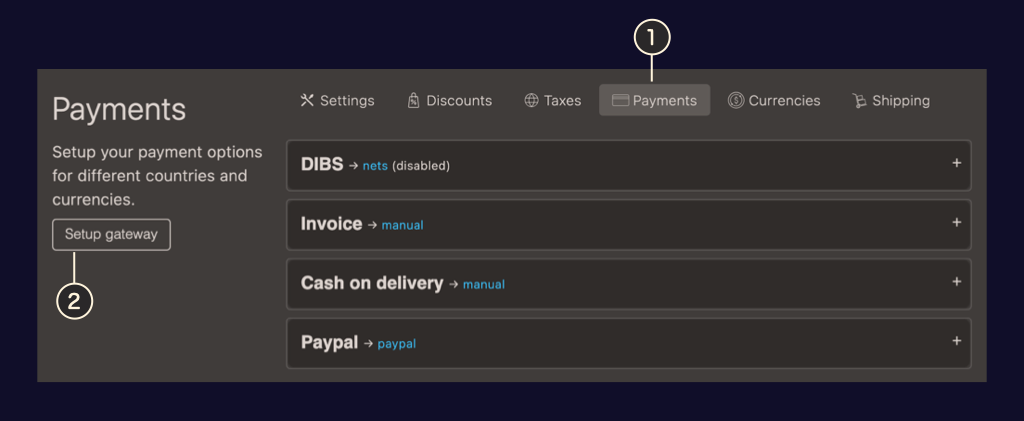
- Link to Payment settings in Shop settings
- Button for adding additional payment gateways
Setup manual payments
Add a manual payment method by pressing Setup gateway and giving the gateway a name (this is only used as an internal reference and can be changed later) and choosing Manual from the list. Multiple manual payments options can be setup.
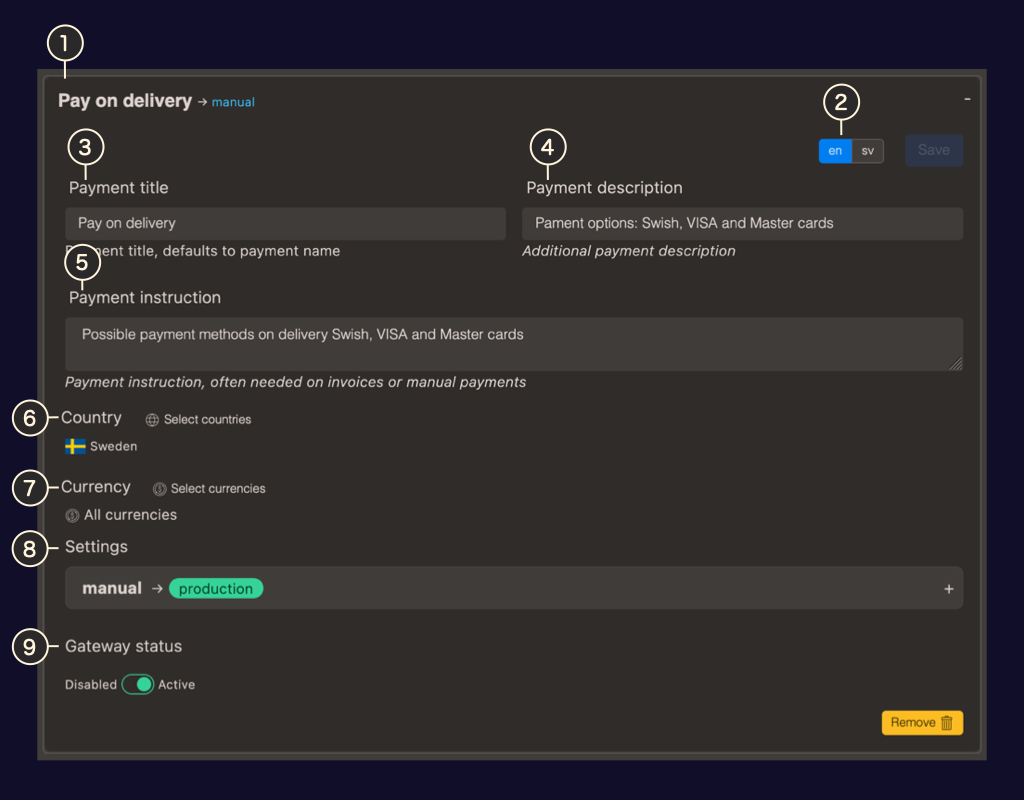
- Internal name The name of the gateway for internal reference can be changed
- Language switcher For translating the gateway information
- Payment title Used in the checkout and order information
- Payment description Used in the checkout
- Payment instruction Used in the order notification
- Country picker Choose which countries the payment gateway is shown for
- Currency picker Choose which currencies the gateway accepts
- Additional settings By default the manual payments gateway is set to production but a sandbox setting is also available
- Gateway status If staus is set to active the gateway is displayed in checkout.